Day 21
TCP & UDP
tcp-and-udp
At a glance
TCP vs UDP at the transport layer: reliability, ports, and when each fits. Read captures by Ethertype and IP protocol, then by TCP flags or UDP datagrams. Maps to CCNA v2.0 objective(s) 2.4.
Deep chapter
Long-form companion reading (original prose).
Transport job
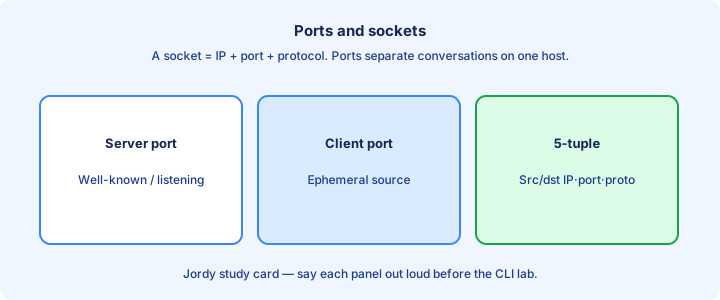
TCP and UDP sit at Layer 4. They deliver bytes between applications on hosts that already have IP reachability. IP moves packets hop by hop; transport decides reliability, ordering, and which process owns the conversation.
Every segment or datagram carries source and destination ports. Those 16-bit numbers multiplex many apps onto one IP address. Without ports, a web server and a mail daemon could not share 192.168.1.10. Write the port pair on scrap paper before you touch an ACL or capture filter.
Choose the protocol for the job. Bulk file transfer and SSH need TCP. Voice, DNS queries, and DHCP favor UDP when a lost packet is cheaper than waiting on retransmit timers. If the app owner cannot name TCP or UDP, you still must discover it before filtering.
Exam trap: transport does not replace routing. A perfect TCP handshake still fails if the path has no route or an ACL drops the SYN. Fix the route or ACL first; only then debate TCP versus UDP design choices.
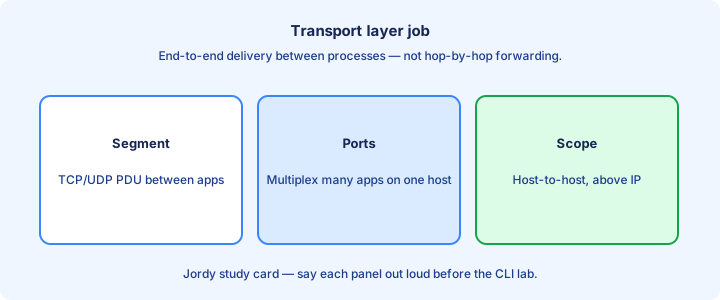
TCP reliable delivery
TCP is connection-oriented and reliable. It tracks bytes with sequence numbers, demands acknowledgments, and retransmits what never got ACKed. The receiver can also reorder segments that arrived out of sequence. Servers keep per-connection state; that state is why TCP can recover and why SYN floods hurt.
Reliability costs latency. A lost segment stalls the stream until recovery. Congestion control slows the sender when the network is crowded. That tradeoff is why interactive voice rarely rides raw TCP on the exam.
Flags mark state: SYN, ACK, FIN, RST, PSH, URG. You do not memorize every bit field for 200-301, but you must know handshake and teardown use those flags. Captures that show repeated SYNs without SYN-ACK point at path or listener problems, not windowing yet.
Exam trap: “reliable” means TCP tries to deliver an ordered byte stream. It does not guarantee the application got a useful answer before the user hung up. Do not call UDP broken because it lacks those recovery features—different contract, different apps.
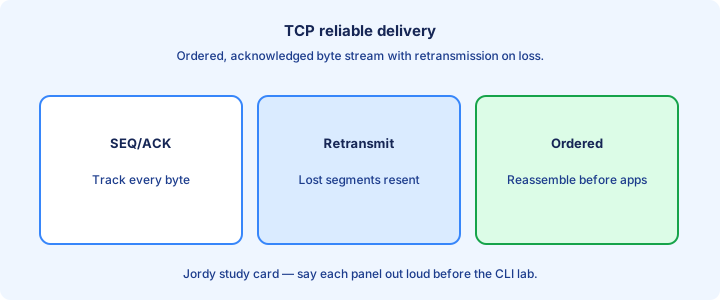
UDP simplicity
UDP is connectionless. No handshake, no ACK, no retransmission inside the transport. The header is short: ports, length, and an optional checksum. The application owns loss recovery if it cares.
Simplicity cuts delay. A DNS query that times out can simply ask again. A voice codec can conceal a missing packet. Forcing TCP on those flows adds stalls the user hears as lag. Checksums catch corruption; they do not retransmit.
UDP still uses ports. Spoofing and amplification abuse that openness, so firewalls and rate limits matter in production even when the exam stem stays basic. Rate limits and intelligent drops matter more for UDP floods because there is no built-in backoff.
Exam trap: UDP is not “unreliable by design to be evil.” It is unreliable so apps that hate delay can move fast. When a stem praises low overhead, UDP is usually the intended transport.
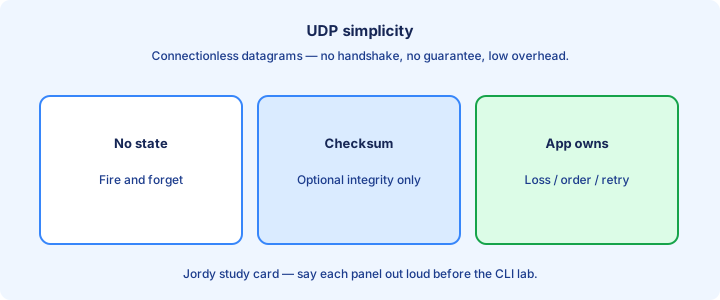
Ports and sockets
A socket is the 4-tuple most stacks care about: local IP, local port, remote IP, remote port, plus the protocol (TCP or UDP). Two different remotes can share your local port 443 as separate sockets.
Servers listen on a well-known port. Clients pick an ephemeral source port and connect or send. The reply swaps the port pair so the client stack can demux the answer. Changing only the destination port creates a different service on the same host IP.
NAT and firewalls rewrite or track those tuples. When troubleshooting “port 80 is open,” ask which direction and which socket—listener versus established flow are different animals. Load balancers may rewrite ports; troubleshooting must compare client-seen and server-seen sockets.
Exam trap: port number alone does not identify a conversation. Same port, different remote IPs, are different sockets. Exam stems that list only a port without IPs are incomplete on purpose—pick the answer that restores the tuple.
Three-way handshake
TCP opens with SYN, SYN-ACK, then ACK. That exchange agrees on initial sequence numbers and proves both sides can send and receive before data rides the pipe. Half-open connections consume server memory until timers expire, which is why SYN cookies and backlogs exist in real stacks.
If the SYN never returns a SYN-ACK, the client retries and eventually fails. Causes include ACL drops, wrong destination port, a down server process, or asymmetric routing that kills the reply path. Asymmetric firewalls that allow SYN but drop SYN-ACK produce endless client retries.
A RST can abort a half-open or unwanted connection. Seeing RST in a capture often means “nothing is listening” or a middlebox rejected the session—not a routing mystery by itself.
Exam trap: UDP has no three-way handshake. Questions that mention SYN/ACK are talking about TCP. If the question shows only two packets, it is not a completed TCP open.
Sequence ack
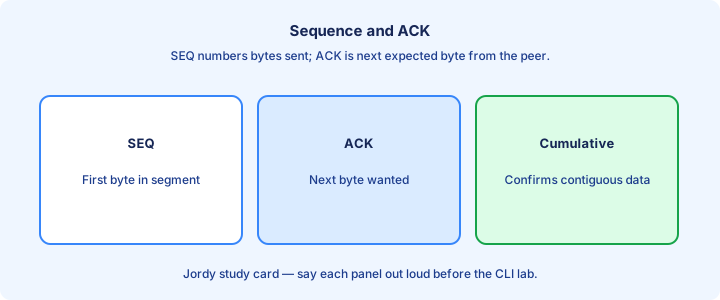
Each TCP byte has a sequence number. The ACK number says “I have received everything before this next expected byte.” Cumulative ACKs keep the pipe moving without per-segment chatter for every tiny write.
Loss shows up as duplicate ACKs or a gap. The sender retransmits from the missing point. Selective acknowledgment (SACK) is real-world detail; CCNA mainly needs the sequence/ACK idea and that retransmit exists. Duplicate ACKs often hint that a segment went missing while later data arrived.
Initial sequence numbers are randomized. Do not treat textbook diagrams that start at 0 as wire truth; the relative math still holds for teaching. Keep relative sequence numbers in mind when a diagram resets to zero for teaching.
Exam trap: ACK number is not “how many segments arrived.” It is the next byte the receiver expects. Confusing ACK with window size is a common mix-up; they are adjacent ideas, different fields.
Windowing glance
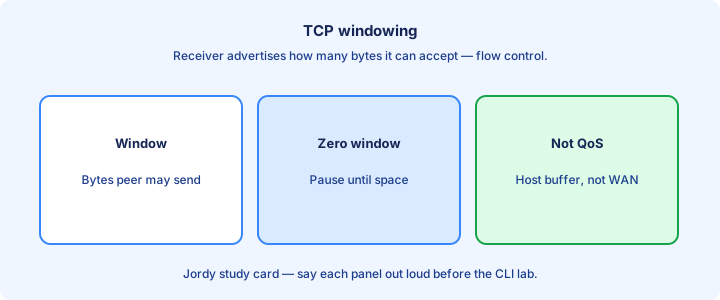
The receive window tells the sender how many unacknowledged bytes may be in flight. A window of zero pauses the sender until the receiver frees buffer space. Sliding windows let TCP keep the pipe full instead of stop-and-wait for every segment.
Windowing is flow control between two hosts. Congestion control is a related but separate story that slows the sender when the network path is the bottleneck. Exams usually stop at “window limits unacked data.”.
Large windows help fat long-delay paths. Tiny windows throttle a fast sender into a slow receiver. Neither setting replaces fixing a duplex mismatch that is actually dropping frames. Tuning windows without fixing duplex or QoS drops rarely yields the miracle people expect.
Exam trap: window size is not the same as MSS. MSS caps segment payload; the window caps outstanding bytes. If a stem mentions flow control between two hosts, windowing is the intended topic.
UDP use cases
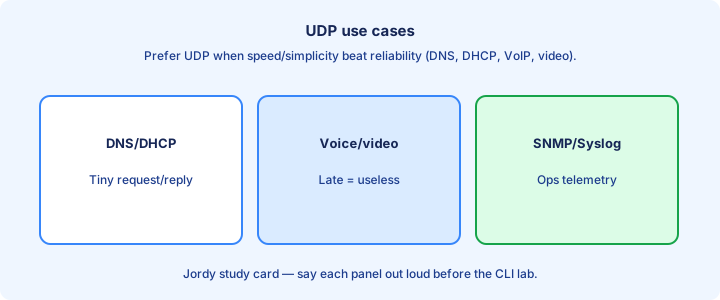
DNS queries, DHCP, TFTP, SNMP, Syslog, and real-time media commonly use UDP. Each prefers a simple request/reply or continuous stream over connection setup cost. DHCP clients and servers must hear broadcasts/unicasts without waiting on a TCP session setup that would itself need addressing.
Some apps add their own reliability on UDP. That does not turn UDP into TCP; it means the app chose the tradeoffs. VoIP still hates head-of-line blocking from TCP retransmit.
On Cisco gear you meet UDP with NTP (port 123), SNMP, and RADIUS in later security topics. Know the port when an ACL question names the service. When an ACL question names syslog or NTP, default to UDP unless the stem overrides.
Exam trap: “important traffic uses TCP” is false. Critical control-plane and voice services often ride UDP. Saying voice uses TCP because it is important fails both the engineering and the exam.
show control connections
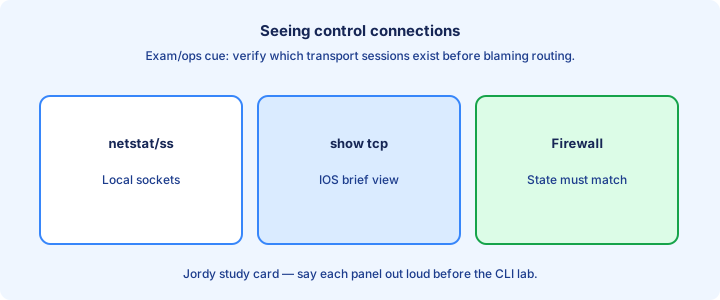
On hosts, `netstat` or `ss` lists listening and established sockets. On Cisco, `show control-plane host open-ports` (platform-dependent) and related management views hint which local TCP/UDP ports the box itself uses. Map listening sockets to the service config: SSH enabled does not help if nothing listens on 22.
More often you verify services indirectly: `show ip ssh`, `show snmp`, or simply whether Telnet/SSH answers on 22/23. Match the listening port to the ACL you wrote. Established entries prove a peer completed the handshake; listeners alone do not prove clients can reach you.
Packet Tracer and real IOS differ on niche show commands. Prefer portable ideas: which process listens, which peer is connected, and whether the state is ESTABLISHED or LISTEN. In PT, rely on feature-specific shows when exotic control-plane commands are missing.
Exam trap: an open port on the server does not prove the path is open. ACLs and NAT still sit in the middle. Combine socket evidence with ACL counters when the path is the real suspect.
Firewall port thinking
Firewalls and ACLs match direction, protocol, and ports. Allowing TCP 80 inbound to a server is not the same as allowing the return traffic model your device expects—stateful boxes track the flow; stateless ACLs need care with established or ephemeral ranges.
Client-to-server means destination port is well-known; source is ephemeral. Server replies reverse that. Writing `permit tcp any eq 80 any` on the wrong side of the conversation blocks the thing you meant to allow. Stateless extended ACLs need explicit logic for return paths or established keywords on TCP.
Map the socket before you type the ACE. Draw client IP, server IP, SYN direction, and return path. Then place the ACL on the correct interface `in` or `out`. DMZ designs usually allow specific destination ports inbound and tighter rules outbound.
Exam trap: “open port 443” without saying whose interface and which way is incomplete. Direction is part of the answer. Always name the interface and direction in your spoken answer before the port number.
Well-known ports
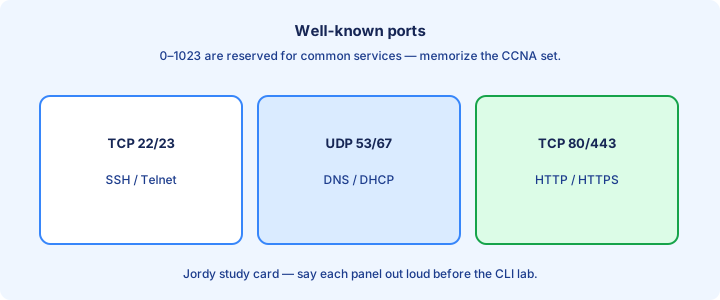
Ports 0–1023 are well-known. Memorize the CCNA set: 20/21 FTP, 22 SSH, 23 Telnet, 25 SMTP, 53 DNS, 67/68 DHCP, 69 TFTP, 80 HTTP, 110 POP3, 123 NTP, 143 IMAP, 161/162 SNMP, 443 HTTPS, 514 Syslog themes.
Same number can be TCP, UDP, or both. DNS uses UDP for most queries and TCP for zone transfers and large answers. Saying “53” without protocol is sloppy on port-match ACLs.
Vendors also use ports above 1023 for apps. Well-known does not mean “only possible.” It means “IANA assigned for the classic service.”. Secure variants (HTTPS, SSH) replace cleartext peers but keep distinct port numbers you must not swap.
Exam trap: Telnet is 23, SSH is 22. Mixing them is a favorite distractor. If two answers differ only by Telnet versus SSH ports, read the security wording in the stem.
Ephemeral ports
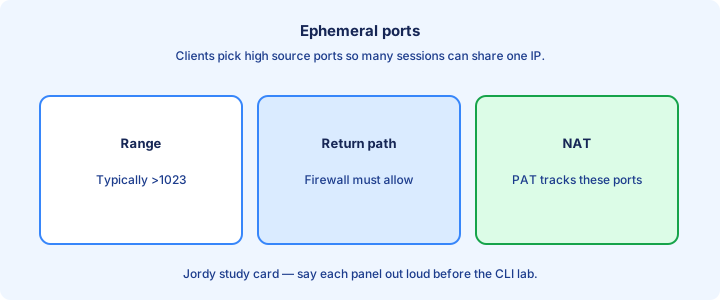
Ephemeral (dynamic) ports are temporary client source ports, typically in a high range such as 1024–65535 (exact OS range varies). Each new outbound connection usually picks a free one. OS ranges differ; do not memorize a single vendor chart as universal law for every question.
Return traffic targets that ephemeral port. A firewall that only allows destination 80 toward the client will break browsing unless it is stateful or you permit the established return path correctly. PAT uses the ephemeral source port to multiplex many inside hosts onto one public address.
Do not ACL-pin a client’s source port in lab unless the question forces it. The host picks the ephemeral; your job is usually the server’s well-known destination. Troubleshooting PAT often means reading the translated tuple, not the inside host’s well-known port.
Exam trap: ephemeral ports are not “random forever.” They are chosen from a pool and reused after the socket closes. Server ACLs should almost never require a fixed client source port for standard web access.
Troubleshooting with netstat ideas
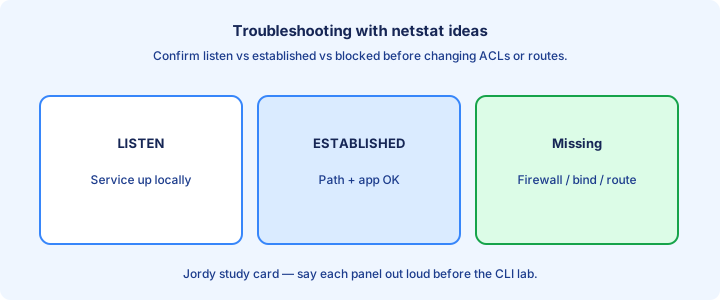
Start with “is anything listening?” On a PC, `netstat -an` (or OS equivalent) shows LISTEN versus ESTABLISHED. No listener means the app is down or bound to another address. MOVE from local listener checks to path checks to policy checks—skipping steps creates random config thrash.
Then ask “did the handshake complete?” SYN_SENT stuck often means filtered path or wrong IP. Many RSTs mean the target actively refused the port. Packet captures help after you know which socket and direction should exist.
On the path, ping and traceroute prove Layer 3. ACLs and zone firewalls prove Layer 4 policy. Capture only after those cheaper checks fail—exam sims rarely give you Wireshark. On Windows versus Linux the flags differ; the states and ideas stay portable.
Exam trap: a successful ping does not prove TCP 443 works. ICMP and TCP are different filters. A green ping and a failed TCP connect is the classic ACL-or-service pattern—name it that way on the exam.
Exam traps
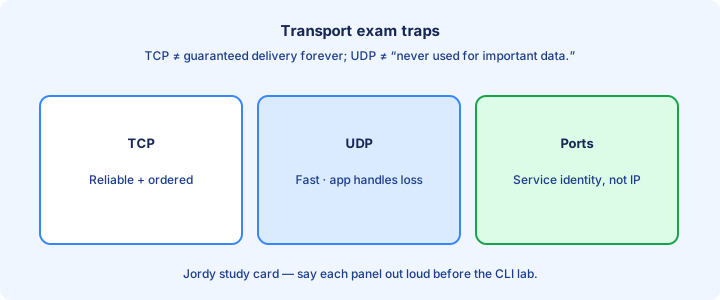
TCP is reliable and connection-oriented; UDP is not. Handshake is TCP-only. Ports identify applications; IP addresses identify hosts. Keep those four sentences straight under time pressure. Rehearse one sentence definitions until you can say them under a timer without examples.
Match protocol to port questions carefully. SNMP 161, NTP 123, syslog 514, HTTPS 443. Wrong protocol with the right number still fails an extended ACL. Port memorization without protocol words fails extended ACL items.
Windowing and sequence/ACK show understanding of reliability mechanics. You rarely configure them on IOS for CCNA; you explain them. Diagrams with SEQ/ACK are teaching tools; real ISNs are random—answer the concept, not the sample numbers.
Exam trap: “Layer 4 firewall” still needs correct Layer 3 reachability. Transport symptoms often start as routing or ACL direction mistakes. When unsure, classify the failure as reachability, listener, or policy before guessing a TCP quirk.
Key ideas
- TCP: sequenced, ACKed, retransmits, windowed flow control.
- UDP: minimal header; app handles loss/ordering if needed.
- Sockets = IP + protocol + port for demux on one NIC.
- Well-known ports identify services; ephemeral ports are client-side.
- SYN without SYN-ACK means filter, dead service, or path problem.
- DNS, DHCP, VoIP often use UDP; HTTP/SSH/FTP control use TCP.
- show/capture: correlate L2→L3→L4 before blaming the app.
Self-check
- Name two TCP reliability mechanisms.
- When would you pick UDP over TCP?
- What tuple demultiplexes a socket?
- SYN flood of SYNs with no handshake — top two causes?
- Which field after IP points at TCP vs UDP?