Day 24
IPv4 Access Control Lists
ipv4-acls
At a glance
Merged standard + extended ACLs (numbered and named). Standard ACLs: match source IPv4 only, place close to the destination, master wildcards and the implicit deny. Extended ACLs: match protocol, source/dest, and ports. Place close to the source; watch established and direction on the interface. Maps to CCNA v2.0 objective(s) 4.6.
Deep chapter
Long-form companion reading (original prose).
IPv4 Access Control Lists — consolidated study day
This day merges former Days 34, 35 into one CCNA v2.0-aligned segment.
Read straight through; use the practice hub (subnetting / CLI) to drill the verbs Troubleshoot, Diagnose, Configure, and Interpret.
From former Day 34
Source material retained from the previous Day 34 chapter for continuity.
ACL purpose
An ACL classifies traffic so the router can permit or deny it, or feed other features (NAT, QoS, VRF route filters). On CCNA, focus on packet filtering with `ip access-group` on interfaces and `access-class` on VTYs.
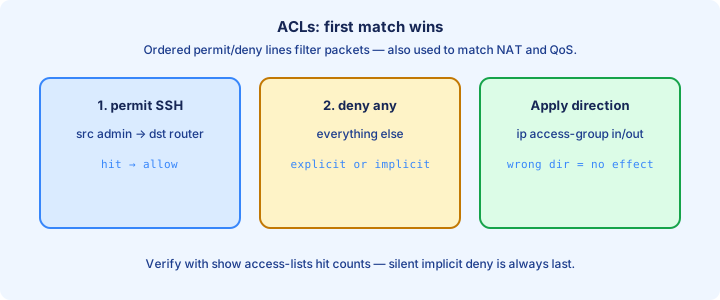
ACLs are ordered lists of Access Control Entries (ACEs). The first match wins; the rest are skipped. No match hits the invisible implicit deny at the bottom of every IPv4 ACL.
Build the match logic on paper before the CLI. Wrong direction or interface makes a perfect ACE list useless—walk one packet from source to destination and mark where the ACL will see it.
Exam trap: an ACL that is written but never applied filters nothing. Configuration without `ip access-group` is homework, not policy, and hit counts will stay at zero forever. Standard ACLs stay blunt tools: powerful for source blocking, useless for port-aware policy.
Standard ACL match
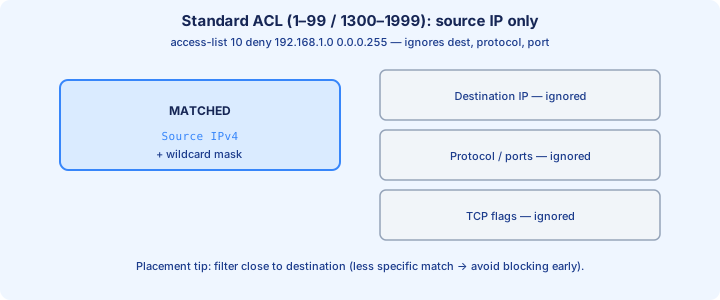
Standard ACLs (numbers 1–99 and 1300–1999) match source IPv4 address only. They ignore destination, protocol, and port—keep that limitation in your head before you reach for one.
Use them when source identity is enough: block a noisy subnet from a router, or allow a management net onto VTYs. For “HTTP to server X,” you need extended ACLs that can see destination and port.
Syntax theme: `access-list 10 permit 192.168.1.0 0.0.0.255` then `ip access-group 10 in` on an interface. Host match uses `0.0.0.0` wildcard or the `host` keyword—both appear on exams.
Exam trap: standard ACLs cannot match destination. If the stem needs a dest host or a TCP port, standard is the wrong tool no matter how carefully you place it. Confirm both the ACE text and the interface attachment before you call the lab finished.
Wildcard masks
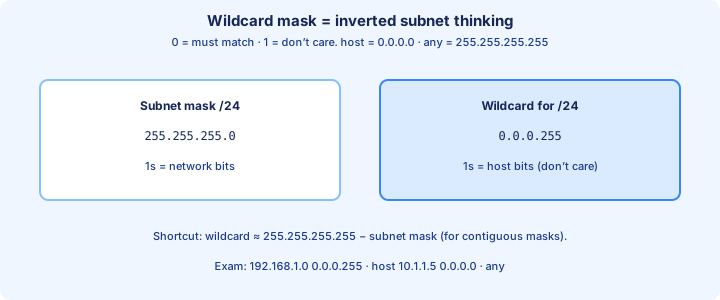
A wildcard mask marks which address bits can vary. 0 means “must match”; 1 means “don’t care.” It is not a subnet mask, though beginners confuse them constantly and fail otherwise easy stems.
Match a /24 with wildcard `0.0.0.255`. Match a single host with `0.0.0.0`. Match two addresses that differ in one bit with a carefully built don’t-care bit—or use two ACEs if clarity matters more than cleverness.
Quick invert check: wildcard ≈ bitwise NOT of the subnet mask for ordinary prefix matches. `255.255.255.0` ↔ `0.0.0.255`. Practice that invert until it is automatic under time pressure.
Exam trap: typing a subnet mask where a wildcard belongs permits the wrong range—or rejects the command on strict parsers—while looking “almost right” in the running-config. A remark that states the business rule prevents the next engineer from deleting the 'mystery deny'.
Placement near source myth vs practice
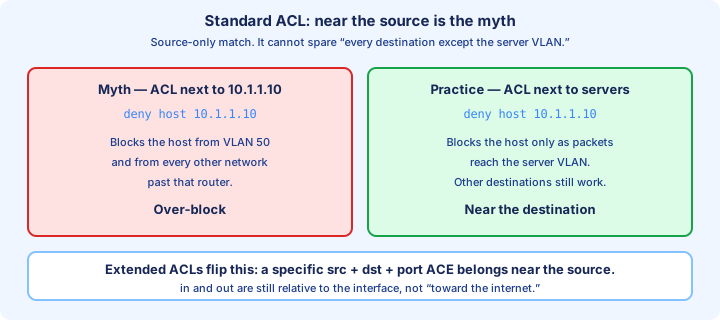
Textbook line: place standard ACLs close to the destination so you do not block the source from reaching other destinations too early. Place extended ACLs close to the source to kill bad traffic before it crosses the core.
Practice still follows that guidance on exams. In real networks you also weigh operational risk: a standard ACL near a remote source can strand management if you slip and omit a `permit` for your jump host.
Always ask what else shares the path. A source-near standard ACL denying a subnet may drop that subnet’s access to every remote network through that router—exactly why the textbook pushes standard ACLs toward the destination.
Exam trap: “always put ACLs on the LAN interface inbound” is incomplete. Match type + goal + direction, then draw the packet before you type `ip access-group`. Direction is always from the router's view of that interface—draw the arrow before you type in or out.
access-list vs ip access-list
Classic numbered style uses global `access-list <number> ...` lines. Named style uses `ip access-list standard NAME` then `permit`/`deny` statements in an ACL submode after `configure terminal`.
Named ACLs are easier to edit and read. Numbered ACLs still appear everywhere in exam stems and older configs. Both apply with `ip access-group`—the apply step does not care which style you used.
Standard named example: `ip access-list standard BLOCK_PC` → `deny host 192.168.1.50` → `permit any`. Order still matters; the name only helps humans.
Exam trap: `ip access-list extended` creates an extended ACL. Using it while thinking “standard” mismatches the feature set and lets you type destination matches you will not understand later. When two ACEs overlap, only the first match counts; later lines become documentation theater.
Named ACLs
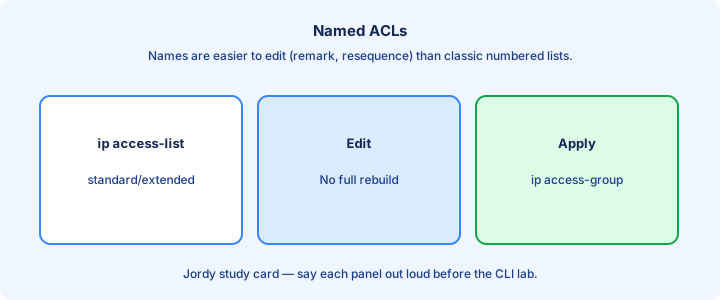
Named ACLs carry readable identifiers (`MGMT_ONLY`, `DENY_GUEST`). They support sequence numbers for surgical inserts and deletes on modern IOS without rebuilding the whole list.
Show output displays the name and remarks if you added them with `remark`. Remarks help the next engineer—and future you—understand intent when hit counts spike at 02:00.
You can rename operationally by creating a new ACL and swapping `ip access-group`, but plan the cutover so you do not leave an interface unprotected mid-change—keep console or OOB available.
Exam trap: the name is local significance. Two routers can reuse `FILTER1` with different contents; never assume they match just because the string is identical. VTY protection is separate from transit filtering; finish both if the stem demands secure management.
show access-lists
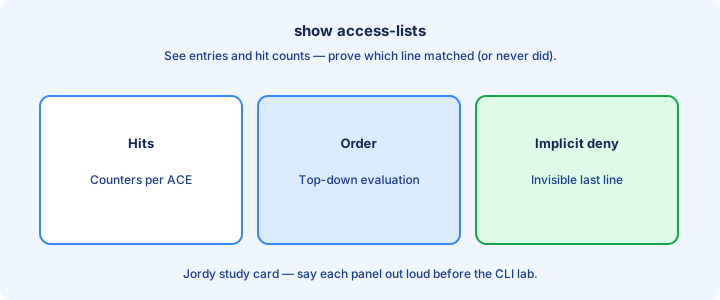
`show access-lists` (or `show ip access-lists`) prints ACEs and hit counts. Rising counters prove traffic matched that line; zeros suggest no match, no traffic, or the ACL is not in the forwarding path you think.
After a change, clear counters with `clear access-list counters` when you need a fresh experiment. Then generate traffic from known sources and re-check which line incremented.
Also verify application: `show ip interface GigabitEthernet0/0` shows which ACL is inbound/outbound. An ACL that exists but is unapplied never increments from real forwarding—only from your imagination.
Exam trap: hit counts on a deny do not tell you whether the user needed a permit—you still need the design intent, and a rising deny can be either success or an outage depending on the ticket. Wildcard math errors create silent wrong ranges that still look syntactically valid.
Implicit deny
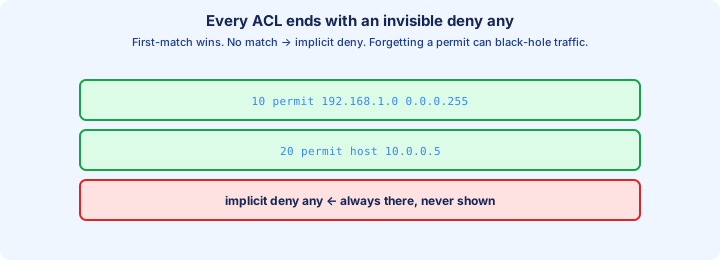
Every IPv4 ACL ends with an invisible deny any (standard) or deny ip any any (extended). If you permit only one host and forget `permit any`, you black-hole everyone else the moment the ACL is applied.
That implicit rule is why “empty ACL applied” is dangerous and why partial permits need an explicit permit for the rest of wanted traffic. Surgical denies almost always sit above a broad permit.
Some features behave differently with empty lists; for filtering, assume implicit deny is waiting at the bottom. Mentally append it when you read any ACL on the exam.
Exam trap: deleting all ACEs does not leave an “allow all” list—implicit deny still owns the end, and an applied empty ACL can isolate a LAN completely. Keep a known-good console path whenever you edit an ACL that could match your own session.
Order of ACEs
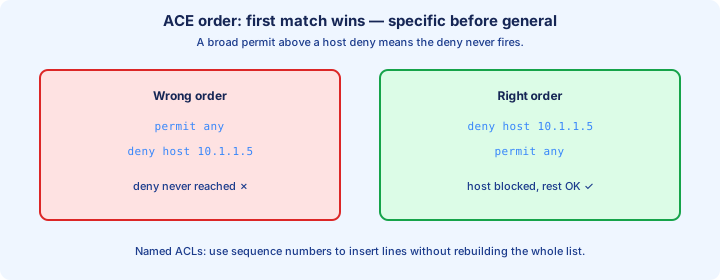
First match wins. Put specific denies/permits before general ones. A leading `permit any` makes every later line dead code that will never increment counters.
Example: deny one host, then permit the subnet, then permit any if needed. Reverse that order and the host deny never hits because the subnet permit already matched.
Sequence numbers in named ACLs let you insert `15 deny host x` between `10` and `20` without recreating the list. Numbered ACLs often require rebuilds on older styles—plan the edit window.
Exam trap: two overlapping permits are not “both applied.” Only the first matching ACE counts, so overlapping lines are either dead or order-dependent traps. Hit counters rising on the wrong line mean order or fields are off, not that IOS is broken.
Editing numbered ACLs
Classic numbered ACLs are painful to edit: often you remove the whole list (`no access-list 10`) and paste a corrected version. During that window, an applied ACL may vanish or behave oddly—schedule carefully and keep console access.
Some IOS versions keep numbered ACLs editable by sequence in named-style fashion. Prefer named ACLs for living policy whenever the platform and exam style allow it.
Safe pattern: build ACL 11 with the new logic, swap `ip access-group` from 10 to 11, then delete 10. Always keep a known-good console or OOB path before you touch management-plane filters.
Exam trap: `no access-list 10 permit ...` removes the entire ACL 10, not one line, on traditional numbered behavior—one of the most painful CLI surprises in the curriculum. Placement myths die when you walk one packet from source host to destination server on paper.
VTY ACLs
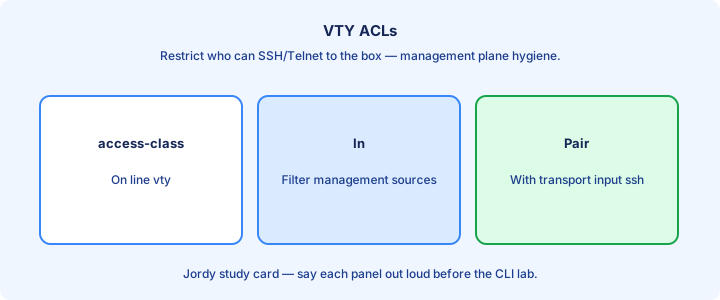
Protect device management with an ACL on the VTY lines: `line vty 0 4` → `access-class 10 in`. Standard ACLs matching management source IPs are the usual tool—permit the jump subnet, then rely on implicit deny.
`access-class` is the VTY cousin of `ip access-group`. Wrong keyword is a common config miss. Direction `in` filters who may start exec sessions toward the box.
Combine with SSH-only transport (`transport input ssh`) and AAA when the course reaches those topics. An ACL alone still allows whoever you permitted to attempt login with any password guess.
Exam trap: an interface ACL does not automatically guard VTYs. Apply `access-class` on the lines, or remote management remains open from every routed source. Named ACLs earn their keep the first time you insert a line without rebuilding the whole list.
Common mistakes
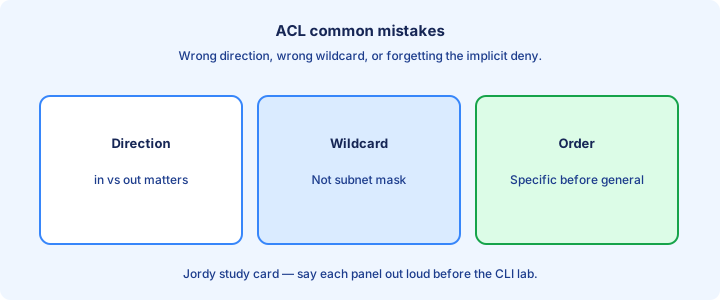
Wrong direction (`in` vs `out`). Wrong interface. Subnet mask typed as wildcard. Missing `permit any` after a surgical deny. ACL written but not applied—five failures that look identical to “ACL does nothing.”
Standard ACL used when destination port matters. ACE order inverted. Implicit deny surprises after a single `permit host` line locks out the rest of the LAN.
Filtering return traffic on a stateful expectation with a stateless ACL. Standard/extended ACLs on IOS are not a zone-based firewall—they match packets as written, one ACE at a time.
Exam trap: “outbound” is from the router’s perspective on that interface—not from the PC’s feelings about the path. Redraw the arrow before you choose `in` or `out`.
Lab standard ACL
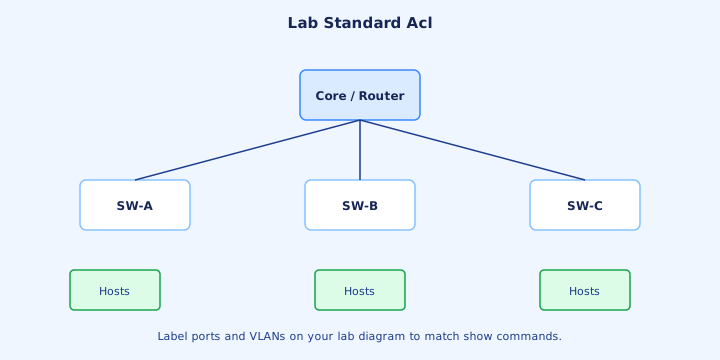
Lab goal: block one source host or subnet from reaching a remote LAN while leaving others alone. Place the standard ACL near the destination router interface facing that LAN, inbound or outbound per your diagram math.
Configure the ACE list, apply it with `ip access-group`, then test with pings from allowed and denied sources. Watch `show access-lists` counters move on the deny line for the blocked host.
Document the business rule in a remark. Save the config with `copy running-config startup-config` only after you prove you did not lock yourself out of SSH from the management host.
Exam trap: testing only from the denied host “proves” nothing about collateral damage—always test an allowed source too, or you will ship a total black hole.
Exam traps
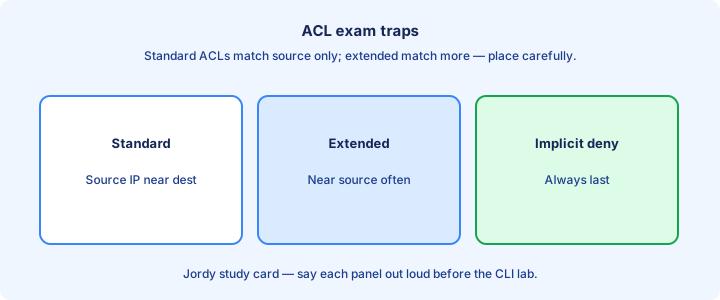
Standard = source only. Wildcard ≠ mask. First match wins. Implicit deny is real. Placement rule of thumb differs for standard vs extended—recite that set before you open the sim.
`access-class` for VTYs; `ip access-group` for interfaces. Named vs numbered is style; match behavior is what the stem tests. Counters prove matches, not correctness of design.
Read the topology for direction before you pick an answer letter. A correct ACE list on the wrong interface is still a wrong answer on selection questions.
Exam trap: a correct ACL on the wrong interface is still wrong. Selection questions love that pair—verify both content and attach point.
From former Day 35
Source material retained from the previous Day 35 chapter for continuity.
Extended ACL fields
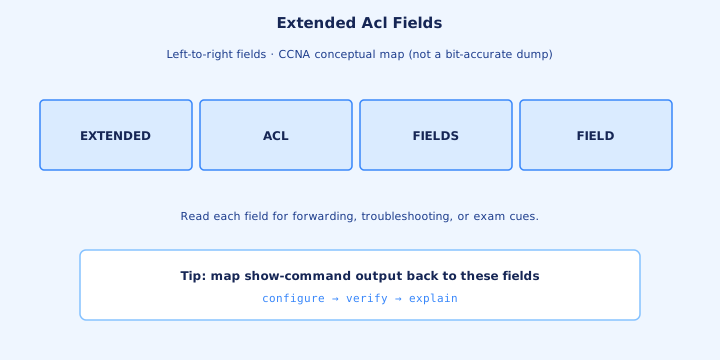
Extended ACLs (numbers 100–199 and 2000–2699) match protocol, source, destination, and optionally ports or ICMP types. That richer tuple is why they can enforce application policy instead of only source identity.
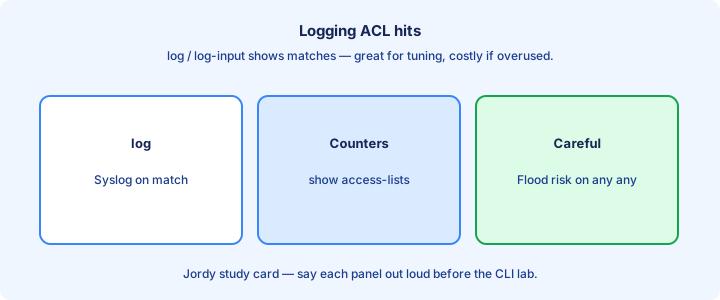
Prototype: `access-list 100 permit tcp 192.168.1.0 0.0.0.255 host 10.1.1.10 eq 80`. Read it left to right: action, protocol, src, dst, port operator. Say that sentence out loud before you type.
Named form: `ip access-list extended WEB_ONLY` then the same permit/deny lines inside the submode. Apply with `ip access-group WEB_ONLY in` on the interface that first sees the traffic you care about.
Exam trap: swapping source and destination in the ACE is the most common extended-ACL self-goal—walk the packet direction on paper before you commit the line. Extended ACLs earn complexity only when destination or port policy is truly required.
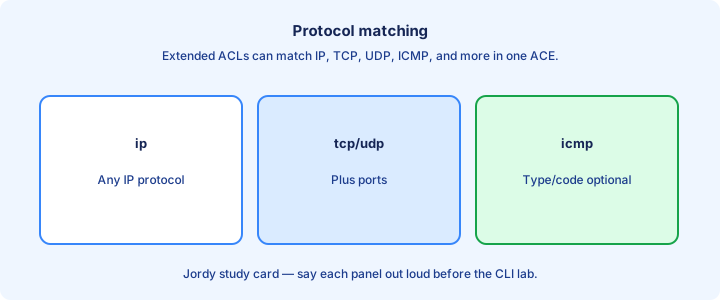
Protocol matching
Name the protocol: ip, tcp, udp, icmp, ospf, and others. Using `ip` matches all IPv4 protocols; using `tcp` narrows to TCP only. Pick the narrowest match that still meets the policy.
ICMP uses type/code keywords (`echo`, `echo-reply`) rather than L4 ports. OSPF and other control-plane matches appear in specialized stems—know that protocol names exist beyond tcp/udp.
If you `permit tcp` but the app rides UDP, the ACE never hits and implicit deny kills the flow. Match the real transport; DNS and SNMP mistakes are classic here.
Exam trap: `permit ip` does not mean “permit Internet Protocol ports”—it means any IPv4 protocol number, including TCP, UDP, ICMP, and more. Swap source and destination in your head once before saving—most lab failures start there.
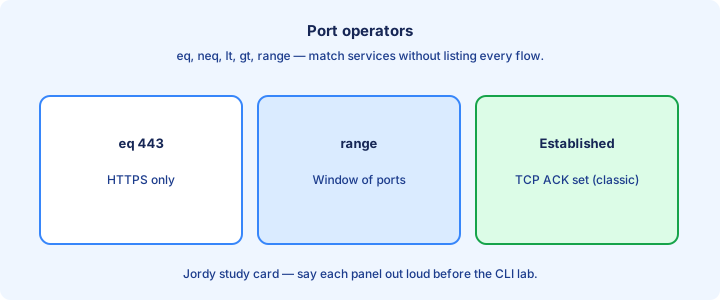
Port operators
Port operators: eq, neq, gt, lt, range. They sit after a source or destination address to constrain TCP/UDP ports. Learn where the operator attaches—src side versus dst side changes the policy completely.
`eq 443` matches HTTPS. `range 1024 65535` can approximate ephemeral ports when a stem forces static thinking—stateful firewalls handle that better in real life, but exams still test the operator keywords.
You can apply operators on source port, destination port, or both. Web clients use ephemeral source ports and destination 80/443—filter the destination side for server access policy in almost every CCNA lab.
Exam trap: putting `eq 80` on the client source port blocks normal browsing. Destination port is usually the server well-known; source is ephemeral and unpredictable. eq on the server port is usual; eq on the client ephemeral port is usually a mistake.
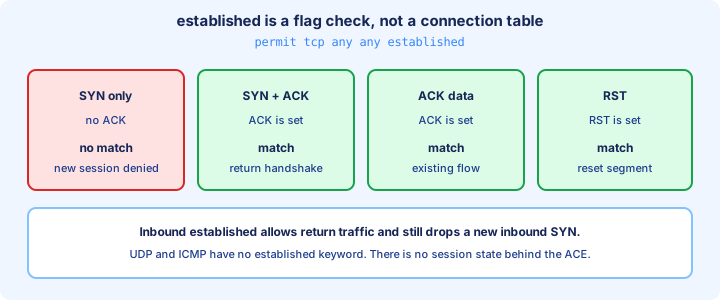
Established glance
The established keyword (TCP) matches packets with ACK or RST set—roughly “return traffic for a session that already started.” Classic ACL firewalls used it to allow responses without opening all high ports inbound.
It is not a full stateful firewall. Odd packets can still match. Prefer modern zone-based or reflexive features outside deep CCNA scope, but recognize `established` on exams when the stem shows classic perimeter ACL designs.
Typical pattern: permit outbound TCP from inside, permit inbound TCP `established` to inside. Pair with explicit allows for inbound servers you host so new SYNs to published services still match a permit.
Exam trap: `established` is TCP-only. It does nothing useful on a UDP ACE, and it will not magically allow DNS replies if you filtered UDP wrong. established is a hint, not a substitute for understanding return traffic on the path.
Placement near destination
Extended ACLs should sit as close to the source as practical so denied packets die early. The contrasting myth is placing them near the destination—that wastes bandwidth carrying doomed traffic across the network.
On a single-router lab, “near source” means the interface that first faces the offending hosts, direction chosen so the ACE fields still see the original source/destination before NAT or other rewrites (when those exist).
Direction math: inbound on the source LAN filters packets as they enter the router from those hosts. Confirm with a quick packet walk on scrap paper—label src, dst, and which interface `in`/`out` sees them.
Exam trap: standard ACL placement advice reversed onto an extended ACL question is a favorite distractor. Extended → near source; standard → near destination. Near-source placement stops denied packets from wasting core bandwidth on a doomed trip.
Named extended
`ip access-list extended NAME` opens a submode for sequenced ACEs, remarks, and easier edits. Names like `ALLOW_WEB_TO_DMZ` beat `access-list 142` in operational clarity when you revisit the box months later.
Insert with sequence numbers: `20 permit tcp ...` between existing lines. Delete one ACE without destroying the whole policy—huge win over classic numbered rebuilds during a change window.
Apply and verify the same way as numbered: `ip access-group NAME out`, then `show ip access-lists NAME` for text and counters, plus `show ip interface` for the attach point.
Exam trap: creating a named ACL without applying it still fails the lab objective—same as numbered. Content without `ip access-group` is not policy. Object groups and time-ranges are convenience layers; first-match and implicit deny still rule.
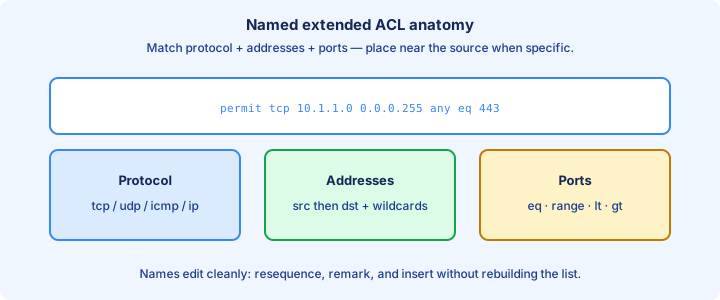
Object-groups glance
Object groups bundle addresses or services so one ACE can reference a set: many servers, many ports, without copying lines. Syntax availability depends on IOS feature set—know the idea even if a sim uses expanded ACEs instead.
Benefit is maintainability—add a host to the group instead of hunting every ACE. CCNA may only glance at the idea; do not invent group syntax on an exam that never taught it.
Mentally treat them as named sets behind the match. The first-match and implicit-deny rules do not disappear just because the ACE looks shorter.
Exam trap: object groups do not replace understanding source/destination order. They only compress repetition—swapped fields inside a group reference are still swapped. Log on rare denies during a change window; never log the high-volume permit any line.
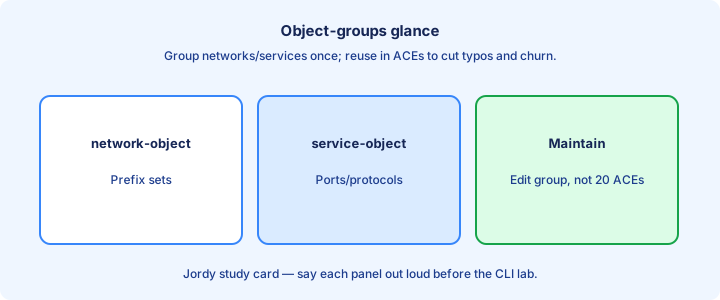
Time-ranges glance
A time-range can make an ACE active only during defined hours—useful for guest access or backup windows. Create the range, then reference it on the ACE so the line only matches while the range is active.
Clock accuracy matters. Wrong timezone or unsynced NTP makes time-based policy drift. Pair this glance with NTP thinking: a router five hours off opens guest access at the wrong time.
Exams rarely deep-dive time-ranges, but stems may mention ACLs that apply “only during business hours.” Know that the feature exists and that the device clock must be sane.
Exam trap: a time-range does not schedule the ACL application command itself—it gates whether that ACE can match while the ACL remains applied continuously. show ip interface proves attachment; show access-lists proves content and counters.
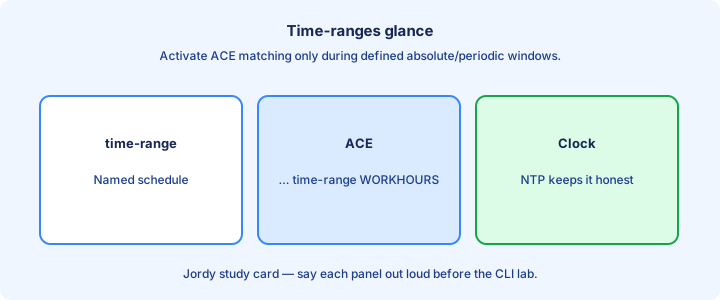
Logging hits
Add log (or `log-input`) on an ACE to generate syslog when it matches. Use sparingly—busy `permit ip any any log` lines can melt the CPU and flood buffers on a production edge.
Logging helps prove a deny fired during a change window. Prefer logging on rare denies, not on every permitted packet. Pair with a remark so the syslog message has human context.
Correlate with `show access-lists` hit counts. Counters are cheaper than logs for bulk proof that traffic is hitting the line you intended.
Exam trap: logging does not by itself permit or deny; it only records a match on that ACE’s action. A `deny ... log` still drops; a `permit ... log` still forwards. ICMP probes will not increment TCP ACEs—match the test tool to the line under study.
show ip interface
`show ip interface` (or the per-interface form) shows Inbound access list and Outgoing access list fields. That is how you prove an ACL is attached and which direction it uses in the live forwarding path.
Cross-check `show access-lists` for the ACE text and counters. Interface show = attachment; ACL show = content. You need both when a lab “does nothing.”
If both directions list ACLs, walk a packet carefully—two filters in series both get a vote, and a permit on one side can still die on the other.
Exam trap: `show running-config` proves intent in the file; `show ip interface` proves the operational attach points. Config present but not listed on the interface means it is not filtering. A top-of-list permit ip any any turns the rest of your security story into comments.
Troubleshoot no match
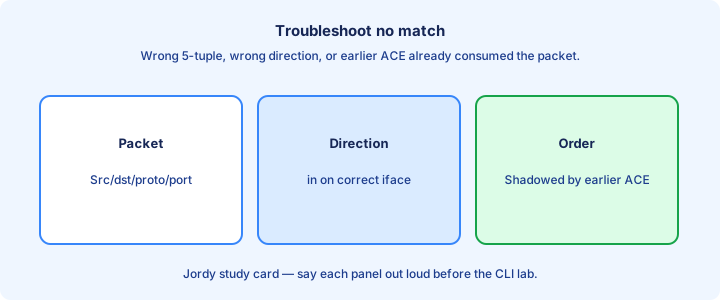
When counters stay zero: traffic never hits that interface/direction, addresses in the ACE are backward, protocol/port wrong, or an earlier ACE already matched. Work that list in order before rewriting the whole ACL.
Generate known traffic (ping vs TCP connect). ICMP will not increment a TCP ACE. Use the right probe for the line you are testing—Telnet or a browser for `eq 80`, ping for ICMP lines.
Check NAT order topics at a high level: if addresses are translated before the ACL sees them, your match must use the addresses present at that point—topology dependent, and a common “why zero hits” cause in larger designs.
Exam trap: “no match” is not “implicit deny counter.” Implicit deny may not show as a numbered ACE with hits the way students expect on every platform—do not wait for a magic implicit counter. Sequence numbers in named extended ACLs make surgical edits safe under change control.
Security + ACL
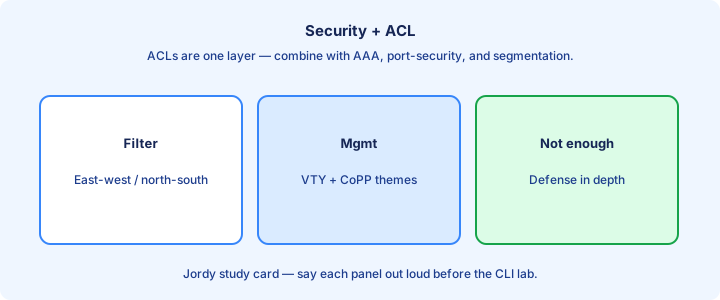
ACLs are one layer: reduce exposure of management planes, filter spoofed sources (uRPF themes elsewhere), and fence server ports. They are not antivirus and not identity-aware access control.
Combine with SSH, AAA, secure VTY ACLs, and interface hygiene. A wide `permit ip any any` at the top undoes the security story and makes every careful deny below it dead code.
Document every deny with a remark tied to a ticket or policy line. Undocumented denies become outage generators during audits when nobody remembers why port 445 died.
Exam trap: more ACE lines ≠ more secure. Unnecessary complexity hides holes—prefer a short ACL you can explain in one breath. If counters stay zero, question path and direction before rewriting every ACE.
Lab extended
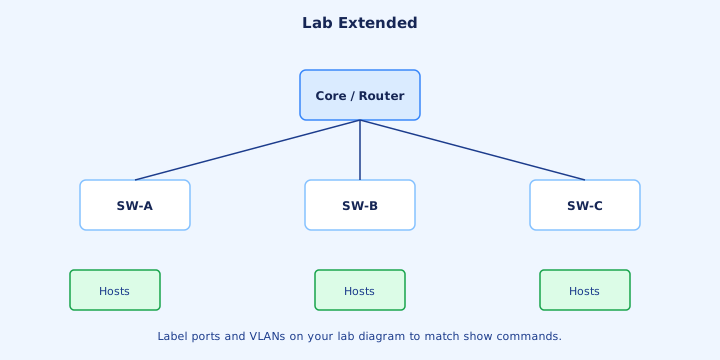
Lab: allow HTTP/HTTPS from a user subnet to a server, deny other TCP to that server, permit everything else if required. Place the extended ACL near the user source with `ip access-group ... in` on that LAN interface.
Test with HTTP allowed, Telnet/SSH to the server denied, and a ping policy matching your ICMP lines. Watch counters per ACE with `show access-lists` after each test so you know which line fired.
Break it on purpose: reverse src/dst, then fix using show tools only. That drills the exam skill better than copying a perfect config from notes.
Exam trap: forgetting `permit ip any any` at the end (when the design needs it) turns a surgical filter into a total black hole via implicit deny. Extended policy should still leave you a management path after the deny lines land.
Checklist
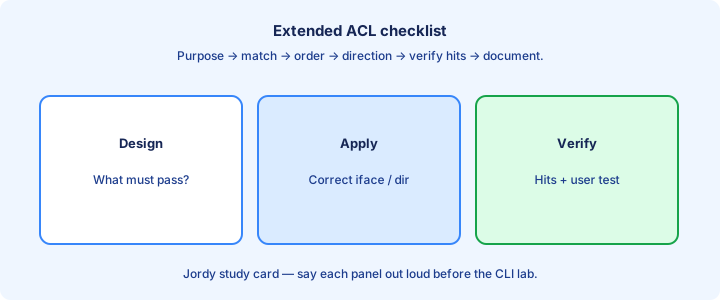
Checklist: correct ACL type; correct src/dst order; protocol and ports; ACE order; explicit permits for wanted traffic; implicit deny understood; applied on the right interface and direction.
Verify with `show ip access-lists` and `show ip interface`. Test allow and deny cases. Save config after proving management access still works from the jump host.
For each ACE, speak one sentence of intent out loud. If you cannot, the line is guesswork and will fail under a topology change.
Exam trap: skipping the packet-walk on paper before CLI is how swapped addresses survive into your answer—and how zero-hit mysteries waste half the sim.
Key ideas
- Merged standard + extended ACLs (numbered and named).
- Standard ACL (1–99/1300–1999) matches source address only.
- Wildcard 0 = match bit; 255 = ignore — inverse of subnet mask.
- Implicit deny any at the end of every ACL.
- Place standard ACLs near the destination to avoid over-blocking.
- First-match wins — order matters.
- Named ACLs are easier to edit than numbered on modern IOS.
- Verify with show access-lists and show ip interface.
Self-check
- What does a standard ACL match?
- Wildcard for a /24 host block?
- Where should you place a standard ACL and why?
- What happens if no ACE matches?
- show command to see hit counts?
- Extended vs standard — what extra can extended match?